24-color stud blocks · Pixel art

One photo. Built in blocks.

Upload a photo and AI redraws it as a 24-color pixel pattern. Fine-tune it, preview the finished piece, then get it as a real block kit.

Small blocks in many colors floating in space

01 · Photo

Start with a photo you love

Take one or pick from your gallery. Near-square photos work best.

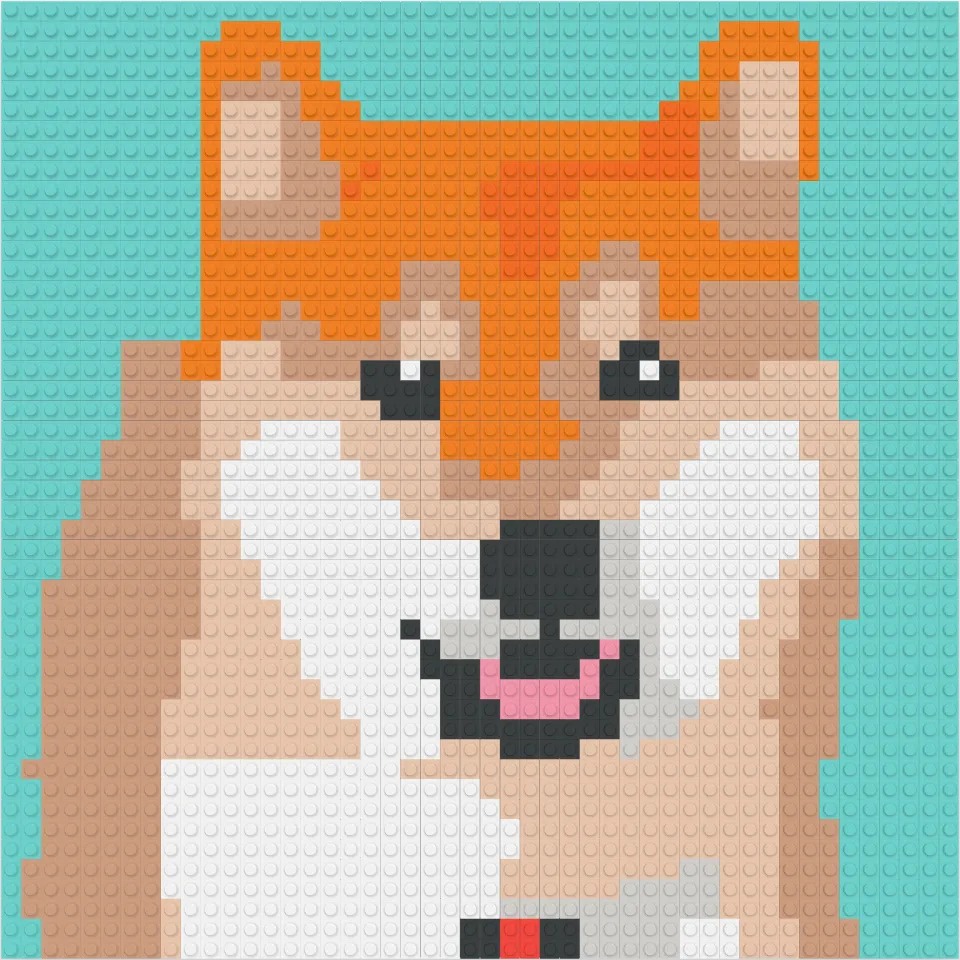
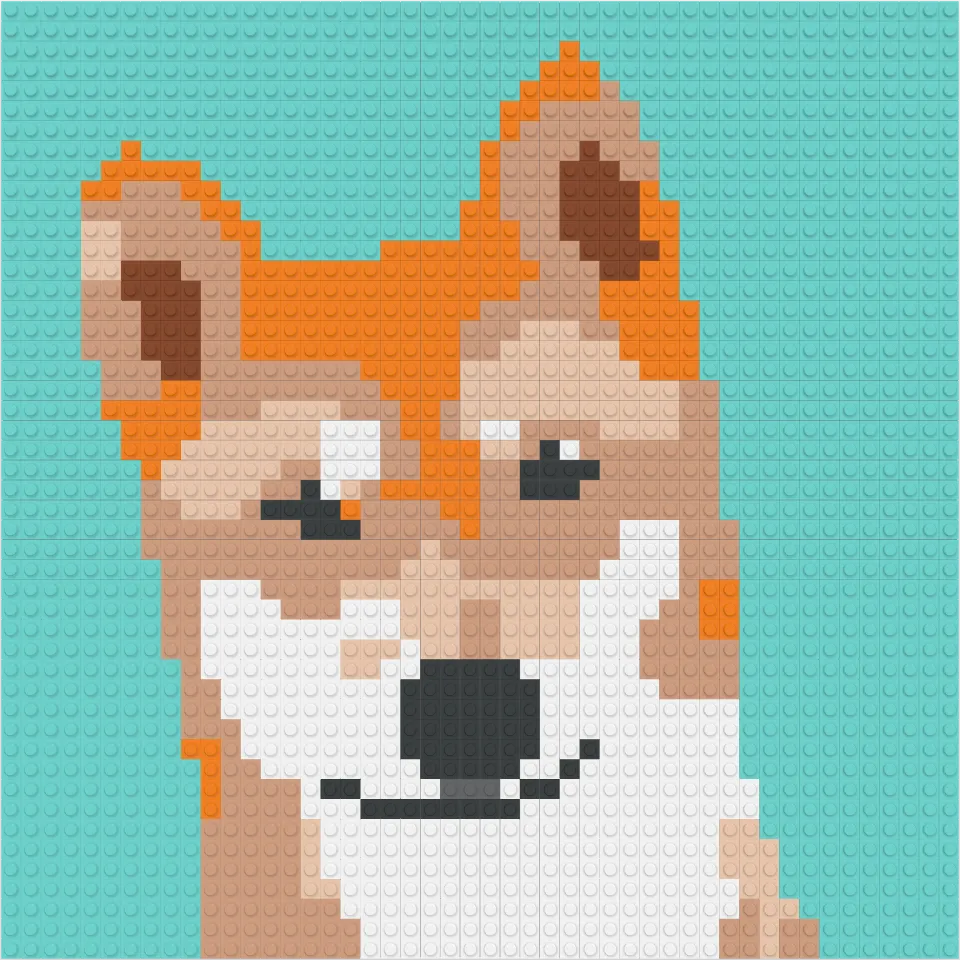
A photo of a tan Jindo dog looking straight at the camera with its ears up A photo of a Shiba Inu facing the camera, smiling with its tongue out

02 · 24 colors

Split into cells, matched to 24 colors

Each cell takes its closest block color. Copied as-is, a photo tends to lose its outlines at this size.

The photo split into 48 by 48 cells and converted as-is to 24 colors; the outlines are blurry and the colors muddy The photo split into 48 by 48 cells and converted as-is to 24 colors; the outlines are blurry and the colors muddy

03 · AI redraw

AI redraws it as a clean block pattern

Backgrounds become flat color, and features like eyes and nose stand out. Pick your favorite of four candidates.

Using AI redraw sends your photo to our server. It is used only for generation and deleted automatically after 24 hours.

48×48Resolution
2,304Blocks
810Colors
The top half is a clean pattern redrawn by AI, the bottom half is still the rough conversion, with a line of light passing between them The top half is a clean pattern redrawn by AI, the bottom half is still the rough conversion, with a line of light passing between them

04 · Edit

Fine-tune it, cell by cell

Change the background with fill, and fix single cells with the pen. Undo goes back 50 steps.

The cleaned-up dog pattern, with the background changed to a single mint color The cleaned-up dog pattern, with the background changed to a single mint color

05 · Blocks

Every block you need, counted by color

Didit counts how many blocks of each color the piece takes. This one: 8 colors, 2,304 blocks.Didit counts how many blocks of each color the piece takes. This one: 10 colors, 2,304 blocks.

Blocks stacked by color in a 24-compartment tray next to the pattern Blocks stacked by color in a 24-compartment tray next to the pattern

06 · Preview

Stud by stud, the picture appears

See the finished piece on its baseplate in 3D, and check every angle before you order.

0/ 2,304
Blocks placed
Blocks being placed stud by stud on a baseplate, forming the picture of a dog Blocks being placed stud by stud on a baseplate, forming the picture of a dog

You did it.

One photo, 2,304 blocks. Finished size 38.4 × 38.4 cm.

The finished pixel-art dog made of 2,304 blocks The finished pixel-art dog made of 2,304 blocks

07 · The real kit

Now build it with your own hands

Blocks sorted by color arrive with an assembly guide. Press them in, stud by stud, just like on screen.

The finished piece in a wooden frame The finished piece in a wooden frame
  1. 01 · Photo: Start with a photo you love. Take one or pick from your gallery. Near-square photos work best.
  2. 02 · 24 colors: Split into cells, matched to 24 colors. Each cell takes its closest block color. Copied as-is, a photo tends to lose its outlines at this size.
  3. 03 · AI redraw: AI redraws it as a clean block pattern. Backgrounds become flat color, and features like eyes and nose stand out. Pick your favorite of four candidates. Using AI redraw sends your photo to our server. It is used only for generation and deleted automatically after 24 hours.
  4. 04 · Edit: Fine-tune it, cell by cell. Change the background with fill, and fix single cells with the pen. Undo goes back 50 steps.
  5. 05 · Blocks: Every block you need, counted by color. Didit counts how many blocks of each color the piece takes. This one: 8 colors, 2,304 blocks.Didit counts how many blocks of each color the piece takes. This one: 10 colors, 2,304 blocks.
  6. 06 · Preview: Stud by stud, the picture appears. See the finished piece on its baseplate in 3D, and check every angle before you order.
  7. 07 · The real kit: Now build it with your own hands. Blocks sorted by color arrive with an assembly guide. Press them in, stud by stud, just like on screen.

What you can do with Didit

Small or large, made your way

The dog pattern converted at 48 by 48 cellsThe 48 by 48 pattern assembled in blocks, seen from above
Around the eyes, enlarged — the same spot at the same width for every size

Pick a size, and the detail changes

Smaller pieces take fewer blocks and come together quickly; larger ones keep the eyes, nose and fur edges crisp. Compare real patterns of the same photo at different cell counts.

You can see the catchlight in the eyes, the pale spots above them and the mouth line under the nose.

Finished size
38.4 × 38.4 cm
Blocks
2,304
Baseplates
9 plates of 16 studs (3 × 3)
Colors
8 colors
Est. assembly time
~7h
38.4 × 38.4 cmDrawn to scale next to an A4 sheet (21 × 29.7 cm). Each square is one baseplate.
Finished size, blocks and baseplates by size
CellsFinished sizeBlocksBaseplatesColorsEst. assembly time
16×1612.8 × 12.8 cm2561 plate of 16 studs7 colors~1h
32×3225.6 × 25.6 cm1,0241 plate of 32 studs7 colors~3h
48×4838.4 × 38.4 cm2,3049 plates of 16 studs (3 × 3)8 colors~7h
64×6451.2 × 51.2 cm4,0964 plates of 32 studs (2 × 2)8 colors~12h
96×9676.8 × 76.8 cm9,2169 plates of 32 studs (3 × 3)8 colors~26h
128×128102.4 × 102.4 cm16,38416 plates of 32 studs (4 × 4)8 colors~47h

The app also offers 20, 40, 60 and 80 cells, plus landscape and portrait shapes (4:3, 3:2).

Tap a color to see where this piece uses it, and how many.

One palette of 24, in the pattern and in the guide

Every color has a number, and the pattern and the PDF assembly guide use the same numbers.

The pattern of the chosen AI candidate

Pick from four AI candidates

It keeps working after you close the window, and notifies you when the candidates are ready.

The four shown here are examples: the same photo converted with different settings.

A 3D preview of the dog piece assembled on its baseplate, seen at an angle

Turn it around in 3D

See the finished piece on its baseplate: drag to rotate, pinch to zoom.

PDF assembly guide

Enlarged charts split by baseplate, a color number in every cell, and a per-color count.

Send it as a gift

Add the recipient's name, phone and address with a message of up to 100 characters. The price stays hidden from the recipient.

The dog pattern converted at 48 by 48 cellsThe 48 by 48 pattern assembled in blocks, seen from above
Around the eyes, enlarged — the same spot at the same width for every size

Pick a size, and the detail changes

Smaller pieces take fewer blocks and come together quickly; larger ones keep the eyes, nose and fur edges crisp. Compare real patterns of the same photo at different cell counts.

You can see the smile at the corners of the mouth, the catchlight in the eyes and the pale fur inside the ears.

Finished size
38.4 × 38.4 cm
Blocks
2,304
Baseplates
9 plates of 16 studs (3 × 3)
Colors
10 colors
Est. assembly time
~7h
38.4 × 38.4 cmDrawn to scale next to an A4 sheet (21 × 29.7 cm). Each square is one baseplate.
Finished size, blocks and baseplates by size
CellsFinished sizeBlocksBaseplatesColorsEst. assembly time
16×1612.8 × 12.8 cm2561 plate of 16 studs8 colors~1h
32×3225.6 × 25.6 cm1,0241 plate of 32 studs9 colors~3h
48×4838.4 × 38.4 cm2,3049 plates of 16 studs (3 × 3)10 colors~7h
64×6451.2 × 51.2 cm4,0964 plates of 32 studs (2 × 2)9 colors~12h
96×9676.8 × 76.8 cm9,2169 plates of 32 studs (3 × 3)9 colors~26h
128×128102.4 × 102.4 cm16,38416 plates of 32 studs (4 × 4)10 colors~47h

The app also offers 20, 40, 60 and 80 cells, plus landscape and portrait shapes (4:3, 3:2).

Tap a color to see where this piece uses it, and how many.

One palette of 24, in the pattern and in the guide

Every color has a number, and the pattern and the PDF assembly guide use the same numbers.

The pattern of the chosen AI candidate

Pick from four AI candidates

It keeps working after you close the window, and notifies you when the candidates are ready.

The four shown here are examples: the same photo converted with different settings.

A 3D preview of the dog piece assembled on its baseplate, seen at an angle

Turn it around in 3D

See the finished piece on its baseplate: drag to rotate, pinch to zoom.

PDF assembly guide

Enlarged charts split by baseplate, a color number in every cell, and a per-color count.

Send it as a gift

Add the recipient's name, phone and address with a message of up to 100 characters. The price stays hidden from the recipient.

See you soon

Didit is getting ready to launch on iOS and Android.

  • App StoreComing soon
  • Google PlayComing soon
The finished piece in a wooden frame The finished piece in a wooden frame